

Garment purchase and procurement software
Karpan ERP handles buying for garment and textile units: purchase orders made from the BOM, approval, goods receipt by bale and vendor lot, inspection before stock, and returns to the supplier. One report shows, for every order, what was needed, ordered, received, passed and issued.
| Item | Required | PO qty | Received | Inspected OK | Issued |
|---|---|---|---|---|---|
| Cotton jersey (kg) | 432 | 440 | 440 | 431 | 300 |
| Rib (kg) | 38 | 40 | 40 | 40 | 25 |
| Buttons (pcs) | 9,456 | 9,500 | 9,500 | 9,500 | 6,000 |
What procurement means in a garment unit
In a garment or textile unit, procurement is buying the fabric, yarn, trims and packing that each order needs, getting them in on time, and making sure only good material reaches production. Most of it is bought for a specific buyer order, so every purchase should trace back to an order and its BOM.
The usual problems are buying from memory instead of from the BOM, purchase orders changed after goods arrive, fabric counted as stock before anyone checks it, and no single place that shows what is still pending from each supplier.
Karpan ERP links the whole chain: BOM → purchase order → approval → receipt by lot → inspection → lot-wise stock reserved to the order.
From the BOM to stock you can use.
Start from the BOM
The approved BOM gives the materials and quantities each order needs, size and colour included.
Raise the purchase order
Pick materials straight from the BOM, or start from a saved PO template for repeat buys.
Approve
Purchase orders go for approval. The approval screen shows approved, unapproved and rejected orders separately.
Receive against the PO
Choose the supplier and all its open PO lines come in at once. Record the supplier’s challan and bill number, transport and e-way bill details.
Split into lots
Split the received quantity into bale/than numbers and vendor lots. Lot numbers can be given automatically.
Inspect
Record OK and rejected quantity for each lot. Only the OK quantity becomes usable stock.
Reserve or return
Good stock is reserved to the order. Rejected material goes back with a vendor return.
Buy what the order needs, and keep it that way.
Purchase orders are made from the BOM, so quantities follow the order, its sizes and colours, and the planned excess. After goods start arriving, the PO is protected from changes that would break the records.
- Pick materials directly from the BOM
- Saved PO templates for repeat purchases
- Approval with approved, unapproved and rejected views
- A PO line cannot be reduced below what is already received
- Cancelling a PO releases only the unreceived balance back to the BOM
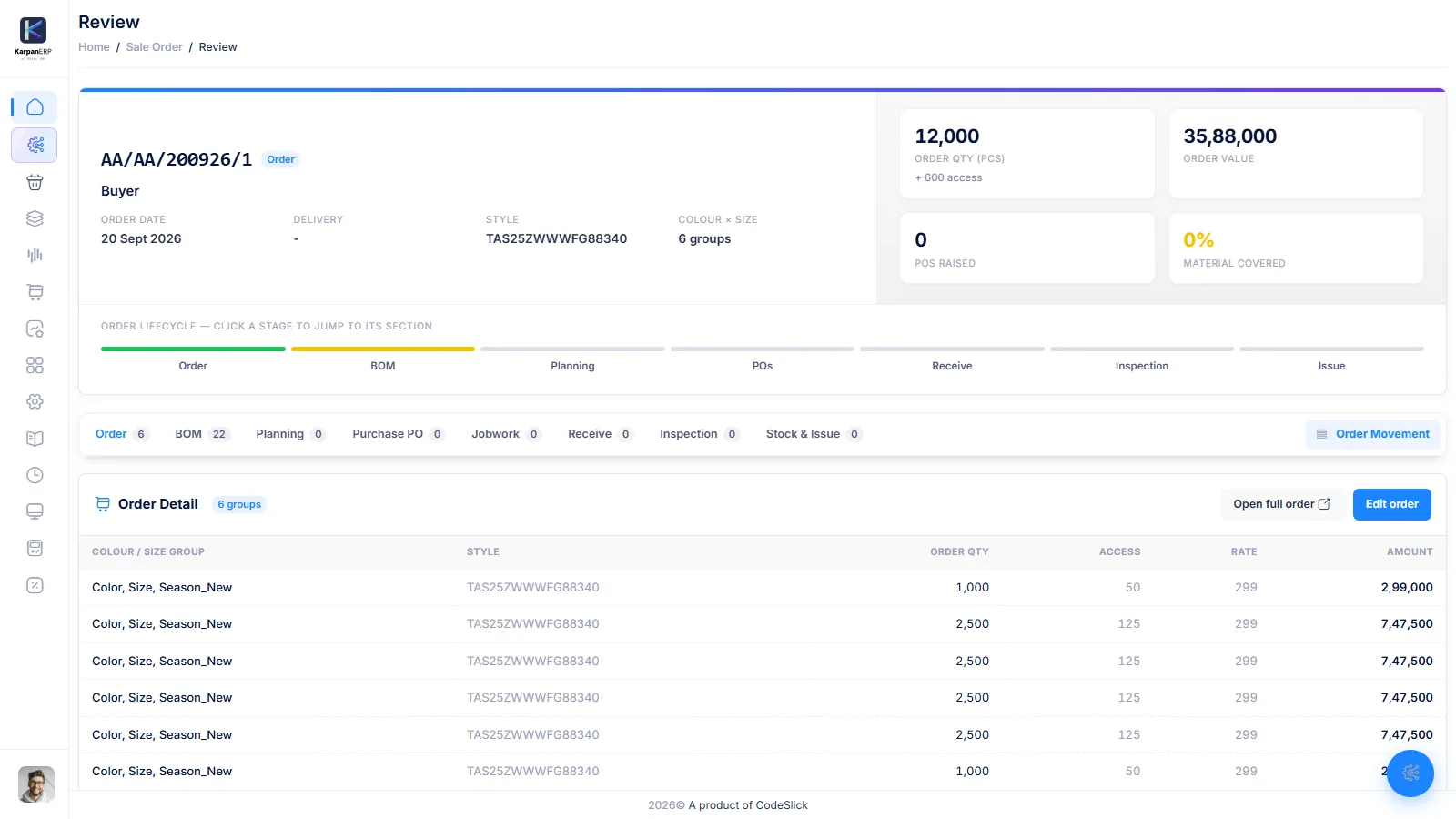
Every delivery recorded lot by lot.
When a supplier delivers, select the supplier and Karpan brings in every open PO line for it. Enter what arrived, split it into bales or thans and vendor lots, and note the challan, bill, transport and e-way bill details. Material coming back from a job worker is received the same way, as a job-work receipt, and Karpan checks that the material was actually issued.
- All open PO lines of a supplier in one receipt
- Bale/than and vendor lot split with automatic lot numbers
- Supplier challan and bill number on the receipt
- Purchase receipts and job-work receipts
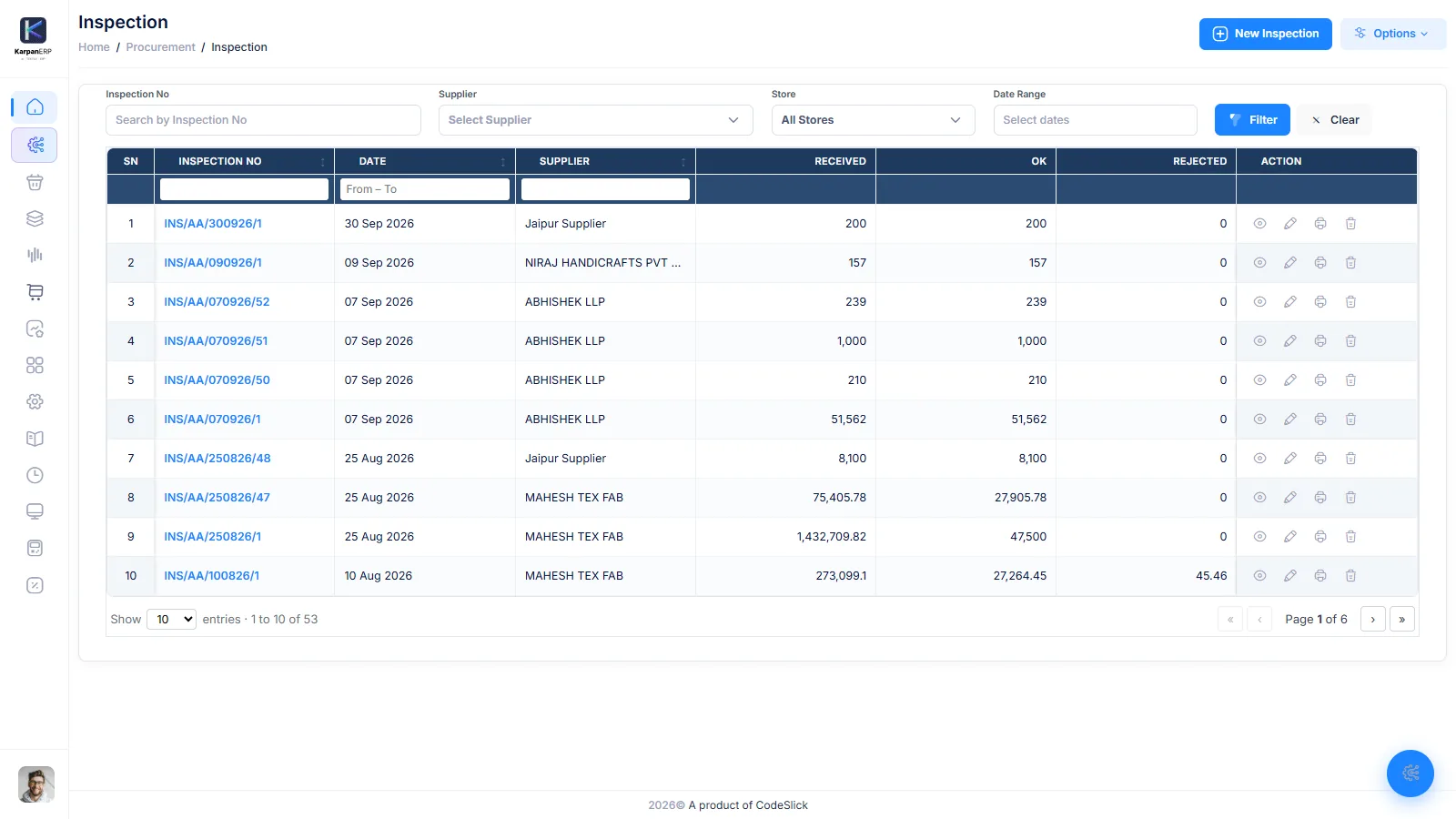
Check it before it counts.
Inspection sits between receipt and stock. Each lot gets an OK and a rejected quantity. Only the OK quantity can be reserved and issued, so faulty fabric does not reach cutting. Rejected quantity goes back to the supplier through a vendor return.
- OK and rejected quantity per lot
- Only OK quantity becomes usable stock
- Vendor return for rejected material
- Order-wise inspection report
Know what is pending without a spreadsheet.
Procurement Status
For each order and style: order quantity, required material, PO quantity and rate, received, inspected OK and issued.
PO Transaction Report
Every purchase order line with its receipts and balance.
Procurement Detail Report
Purchase details by order, item and supplier.
Procurement Item Report
Item-wise view of purchases across orders.
Order Item-wise PO Details
For one order, which POs cover each item.
Order-wise Inspection
What passed and what was rejected for each order.
Buying works with the rest of Karpan.
BOM and planning
Size- and colour-wise BOM with approval: the source of every purchase order.
BOM and planning →Lot-wise inventory
Free, reserved and issued stock per lot, Lot 360 and the stock ledger.
Lot-wise inventory →Job work
Send purchased fabric out for dyeing or printing and receive it back with loss.
Job work management →Garment manufacturing ERP
The full flow from buyer order to order profit.
Garment ERP →Where Karpan stops
So you know before the demo.
- Supplier quotes: no RFQ or quotation comparison.
- Supplier portal: suppliers do not log in to Karpan.
- Accounting: the supplier’s bill number is recorded, but purchase bills are not posted to accounts. Keep accounting in your current software.
- Barcode scanning: not available at receipt today.
Things people ask us.
What is procurement software for garment manufacturing?
It is software that manages buying fabric, trims and packing for each order: purchase orders, approval, goods receipt, inspection and returns, linked to the order and its BOM.
Can purchase orders be made from the BOM?
Yes. In Karpan ERP you pick materials directly from the BOM, so the quantities follow the order’s sizes, colours and excess.
What is a GRN in a garment factory?
A GRN (goods receipt note) records what a supplier delivered against a purchase order. In Karpan the receipt is split into bale/than numbers and vendor lots, with the supplier’s challan and bill number.
Is fabric inspected before it becomes stock?
Yes. Each lot gets an OK and a rejected quantity, and only the OK quantity becomes usable stock. Rejects go back through a vendor return.
How do I see what is pending from suppliers?
The Procurement Status and PO Transaction reports show, per order and PO line, what was ordered, received, passed and issued, so the balance is clear.
Does Karpan post purchase bills to accounts?
No. Karpan records the supplier’s bill number on the receipt, but accounting stays in your current software.
See a purchase order go from BOM to stock.
A free 30-minute walkthrough of purchase, receipt and inspection in Karpan ERP.