

Fabric inventory and lot tracking.
Track every fabric and yarn lot, bale and vendor lot from receipt to issue, with an inspection gate, free, reserved and issued stock, and the full history of any lot in Lot 360.
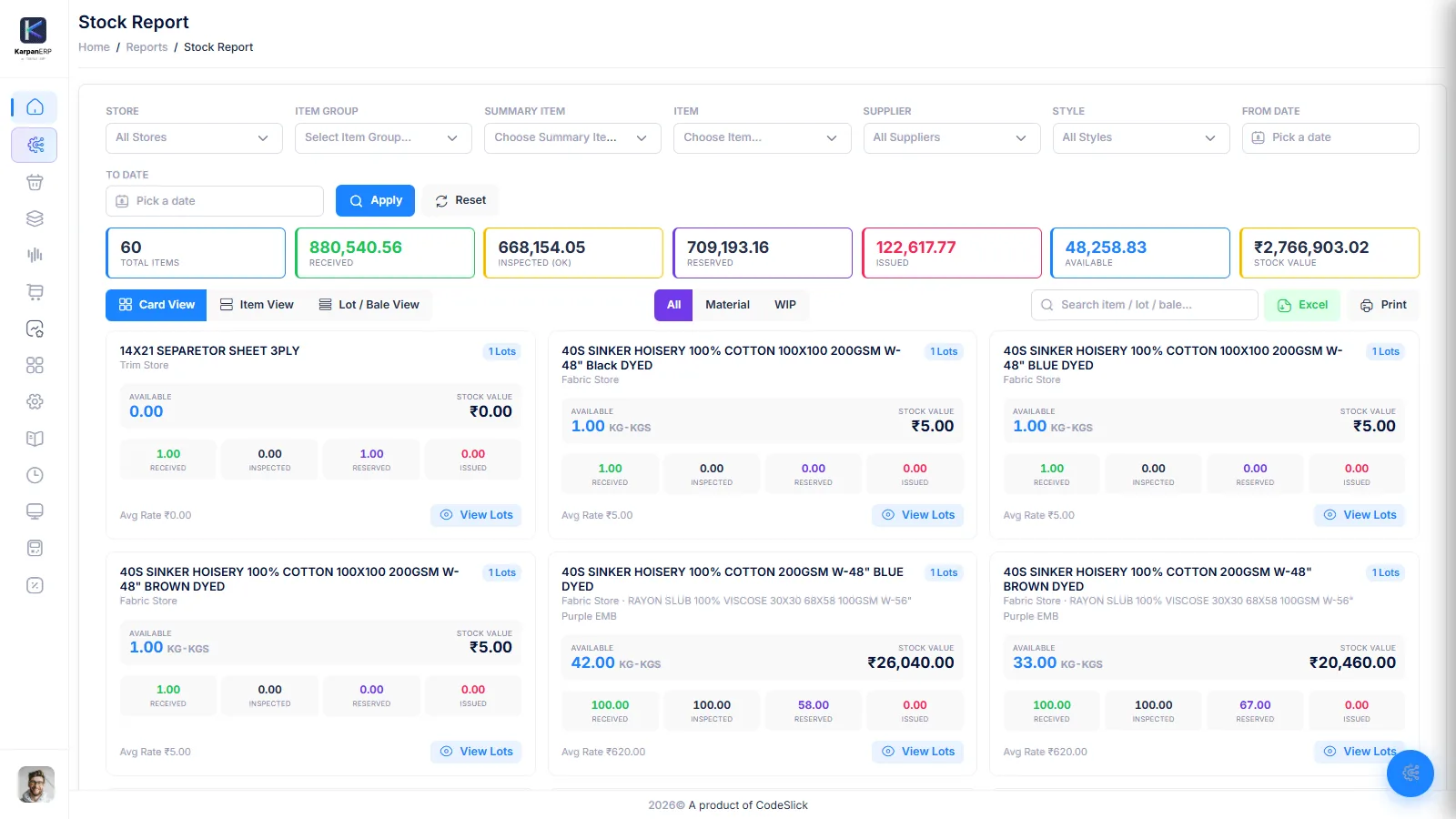
Know what is free, reserved and issued.
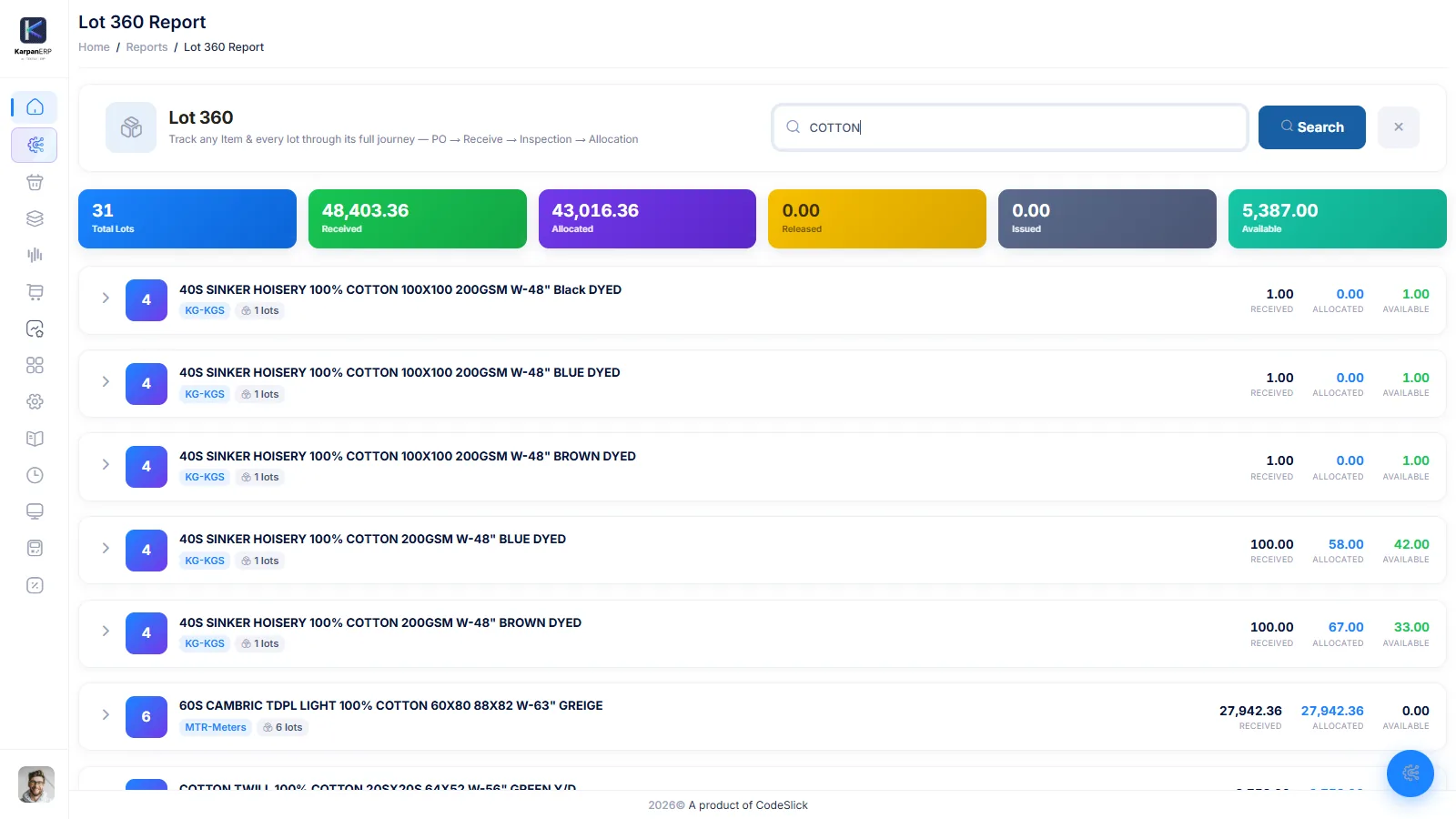
Follow any lot from PO to allocation.
Search a lot or item and see its full lifecycle: purchase order, receive, inspection, allocation and available stock.
- Received, allocated, released and issued at a glance
- Lot-wise reservation to orders and styles
- Inspected-OK gate before stock is usable
Free, reserved, issued, lot by lot.
Every lot shows how much you can still promise, how much is held for orders and how much has gone out.
- Free stock you can safely promise
- Reserved to orders and styles
- Issued to job workers and production
From the gate to the machine.
Receive
Receive by bale/than and vendor lot, with auto lot numbers.
Inspect
Record OK and rejected quantity for each lot.
Reserve
OK stock is reserved to the order and BOM.
Issue
Issue to job workers or to production.
Consume
Consumption follows output, capped at what was issued.
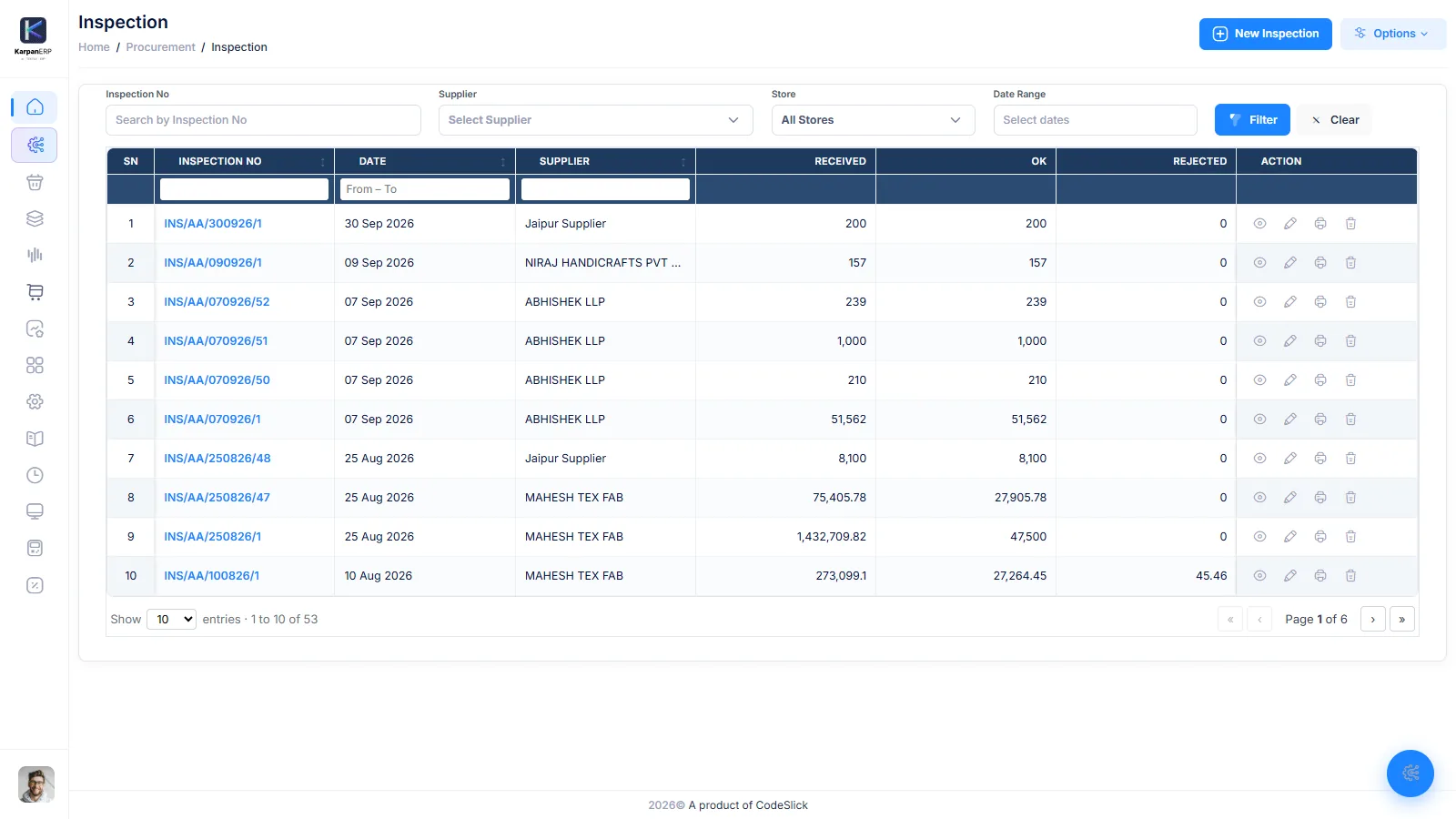
Only good fabric becomes stock.
Inspection splits every lot into OK and rejected. Stock is created only from the OK quantity, and rejects can go back to the vendor. Receipt and inspection are part of purchase and GRN; see how fabric inspection works.
- OK and rejected quantity for each lot
- Auto reservation to the order when a BOM exists
- Vendor return keeps your books clean
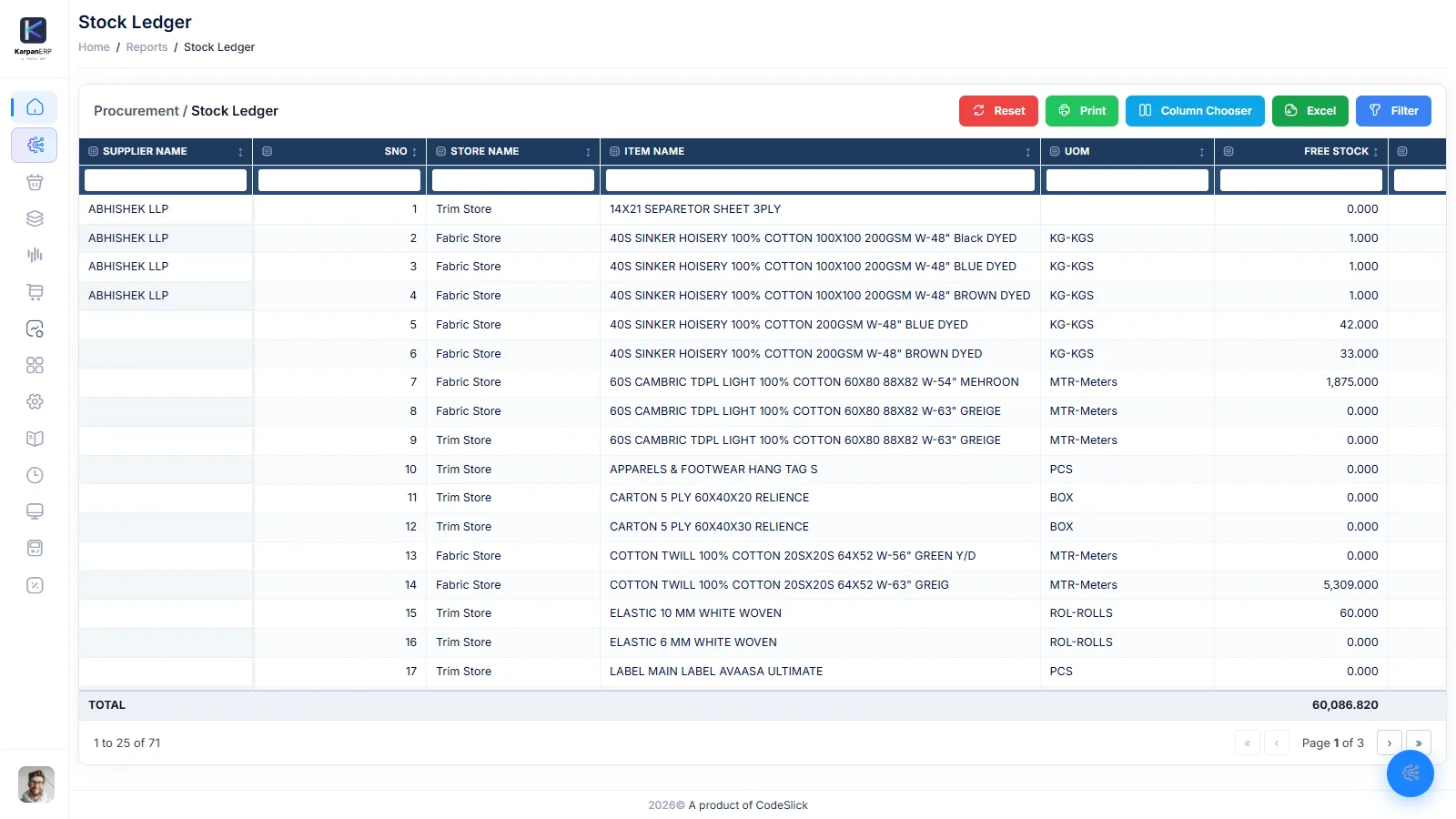
Every move, like a bank statement.
Each receive, inspection, reservation, issue and return is a line in the ledger, with a running balance you can trust.
- Item summary, lot drill-down and ledger drawer
- Inspection reversal through the ledger
- Issued to other orders and negative stock flags
One system for all inventory.
Stock reservation
See required, reserved, issued and free for each order and style on one screen.
Bulk stock allocation
Reserve many lots to many orders in one go.
Stock transfer
Move stock between stores and branches with a proper transfer document.
General stock
Issue and receive consumables and store items that do not belong to a sales order.
Direct receive
Receive goods without an order and undo a receive if it was a mistake.
Vendor return
Send rejected material back to the vendor and keep the numbers right.
Answers without a spreadsheet.
Stock Report
Item summary with lot drill-down and a ledger drawer.
Lot 360
The whole life of an item and all its lots.
Lot Transaction Log
A ledger for each single lot.
General Stock Report
Item-wise view of consumables and store items.
Procurement Item Report
Item-wise purchase view, clubbed across orders.
Daily Movement Report
Issue and receive for each day.
Questions about lot-wise stock
What do free, reserved and issued mean?
Free is stock you can still promise. Reserved is held for an order. Issued is already sent to a job worker or production.
Can I track bales and vendor lots?
Yes. At receipt you split the quantity into bale/than numbers and vendor lots. Each lot is tracked from receive to consumption. See our guide to fabric lot tracking.
Can I manage store items too?
Yes. General stock handles consumables outside sales orders, with its own report.
What if I made a mistake in receive or inspection?
You can undo a direct receive, and inspection can be reversed through the stock ledger.
This module is part of Karpan ERP for garment manufacturing and textile manufacturing.
See every lot in one place.
Pick one fabric. We will show each lot: what is free, what is reserved and what has gone to cutting or a job worker.