About Karpan

Built for the way textile really works.

Generic ERPs were built for standard widgets. They crumble on size and colour matrices, outsourced dyeing routes and lot-by-lot shade differences. Karpan was built from the ground up for the trade.

See how it flows
Why Karpan

Built around textile reality.

Made for the trade, from the first master to the last report.

01Textile specific
02High performance
03Multi-branch ready
04AI built in
01 / 04

Made for garment and textile

Every master, screen and report is designed around styles, attributes, lots and bales, job work loss and size grids.

  • Styles, attributes, lots and bales
  • Job work loss tracking
  • Size grids on every screen
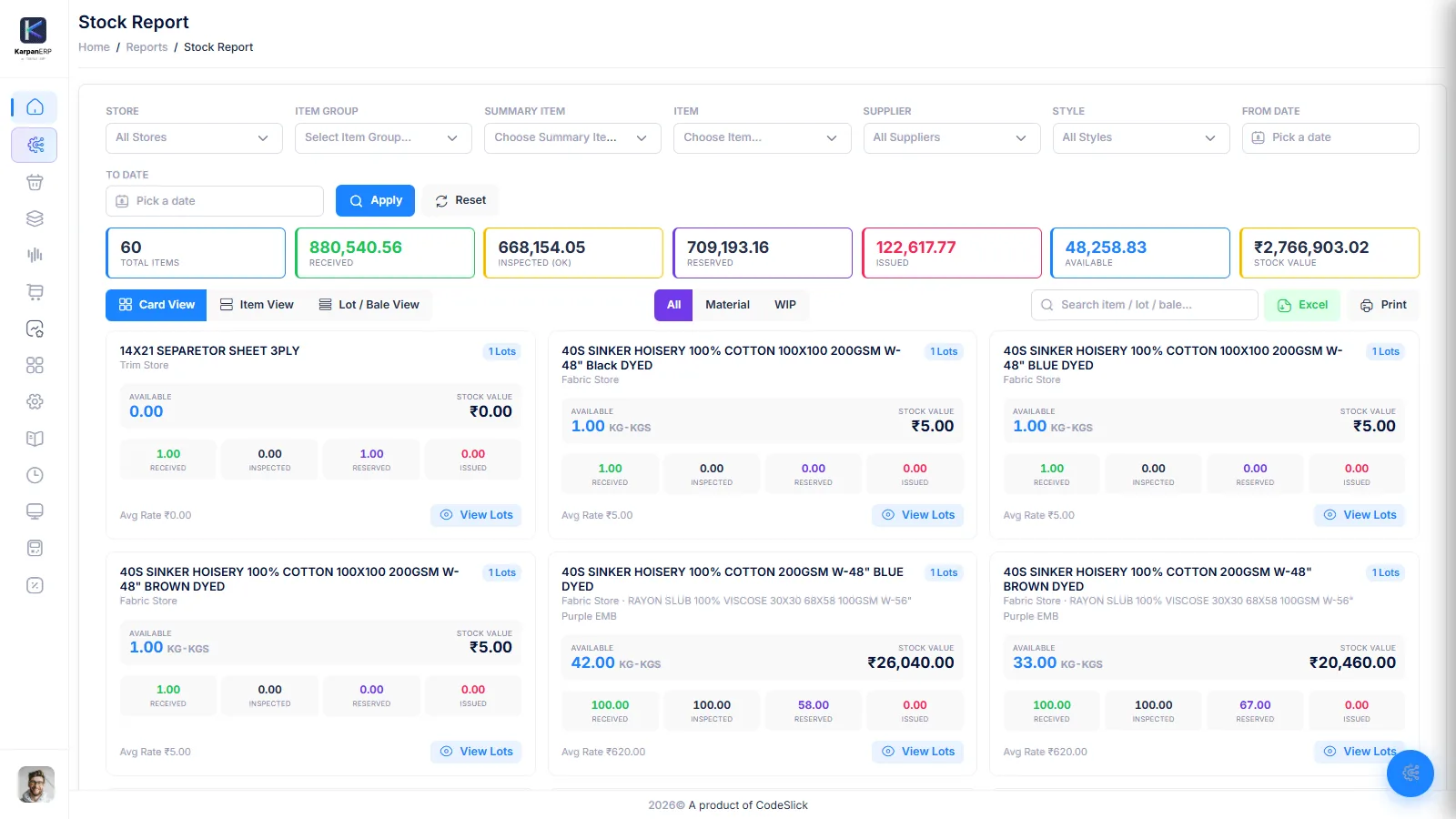
Karpan ERP fabric stock report with received, inspected, reserved, issued and available stock
02 / 04

High-performance architecture

Built on ASP.NET Core Web API, an Angular UI and fast SQL Server procedures.

  • ASP.NET Core Web API
  • Angular UI
  • Fast SQL Server procedures
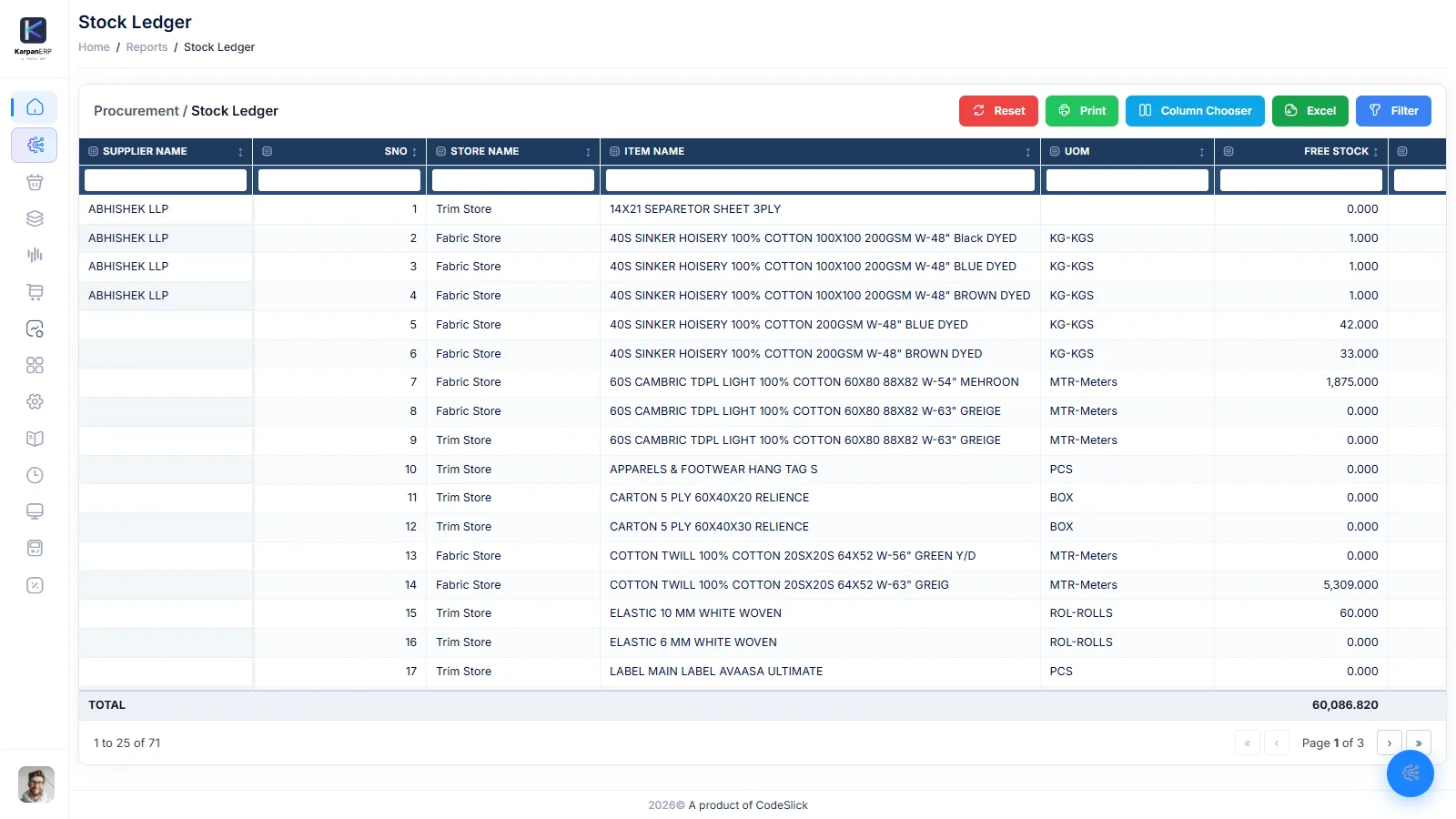
Karpan ERP stock ledger by store and item with running balance
03 / 04

Multi-branch ready

Run fabric units, garment factories and sales branches in one system, with strict data isolation.

  • Fabric and garment units
  • Sales branches in the same system
  • Strict data isolation
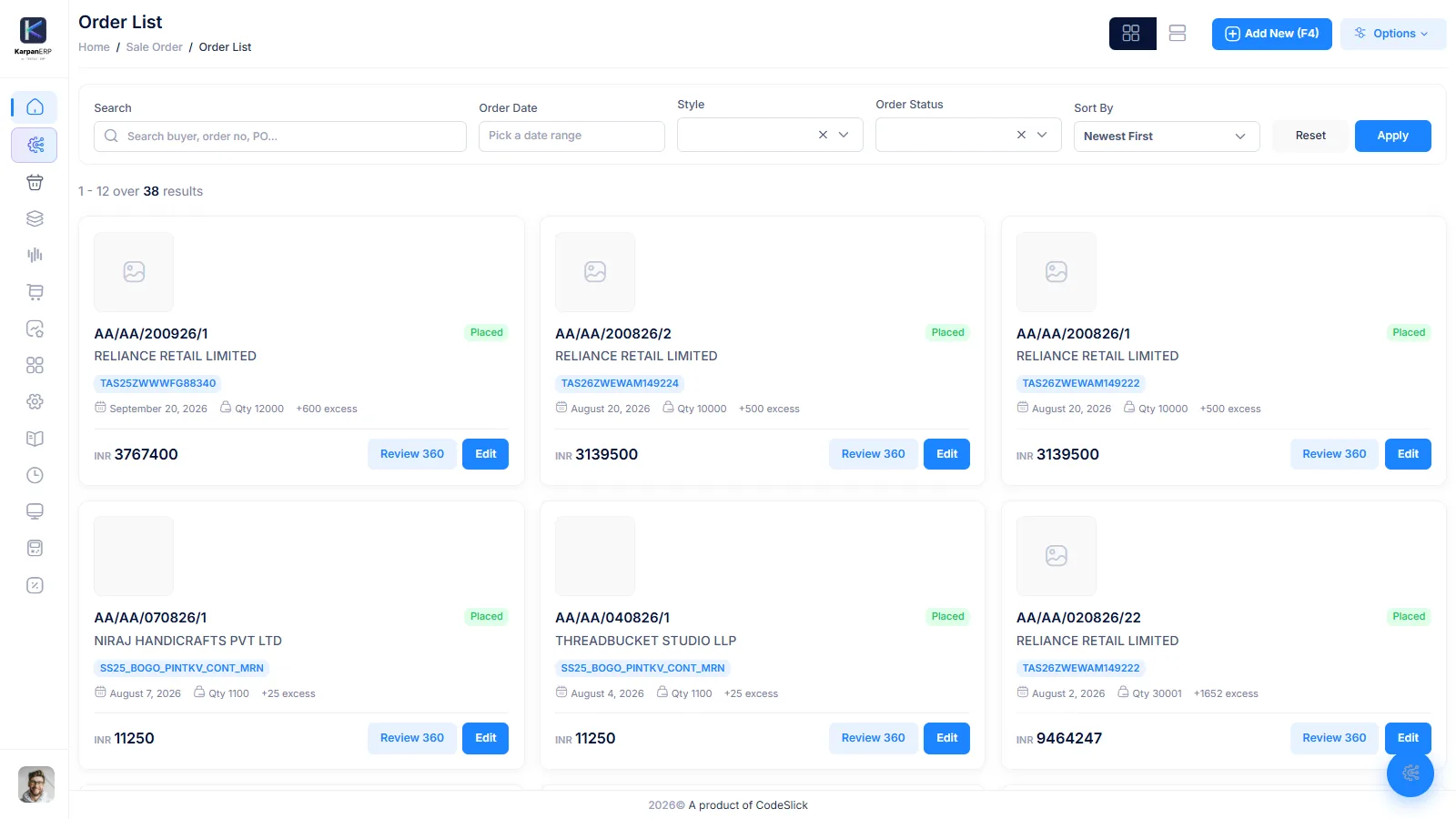
Karpan ERP garment sale order list with buyer, style and status filters
04 / 04

AI built in

Karpan AI inside the app, and an MCP server for your own AI tools, answer questions from your live ERP data, read-only.

  • In-app Karpan AI
  • MCP server for your own tools
  • Answers from your live data
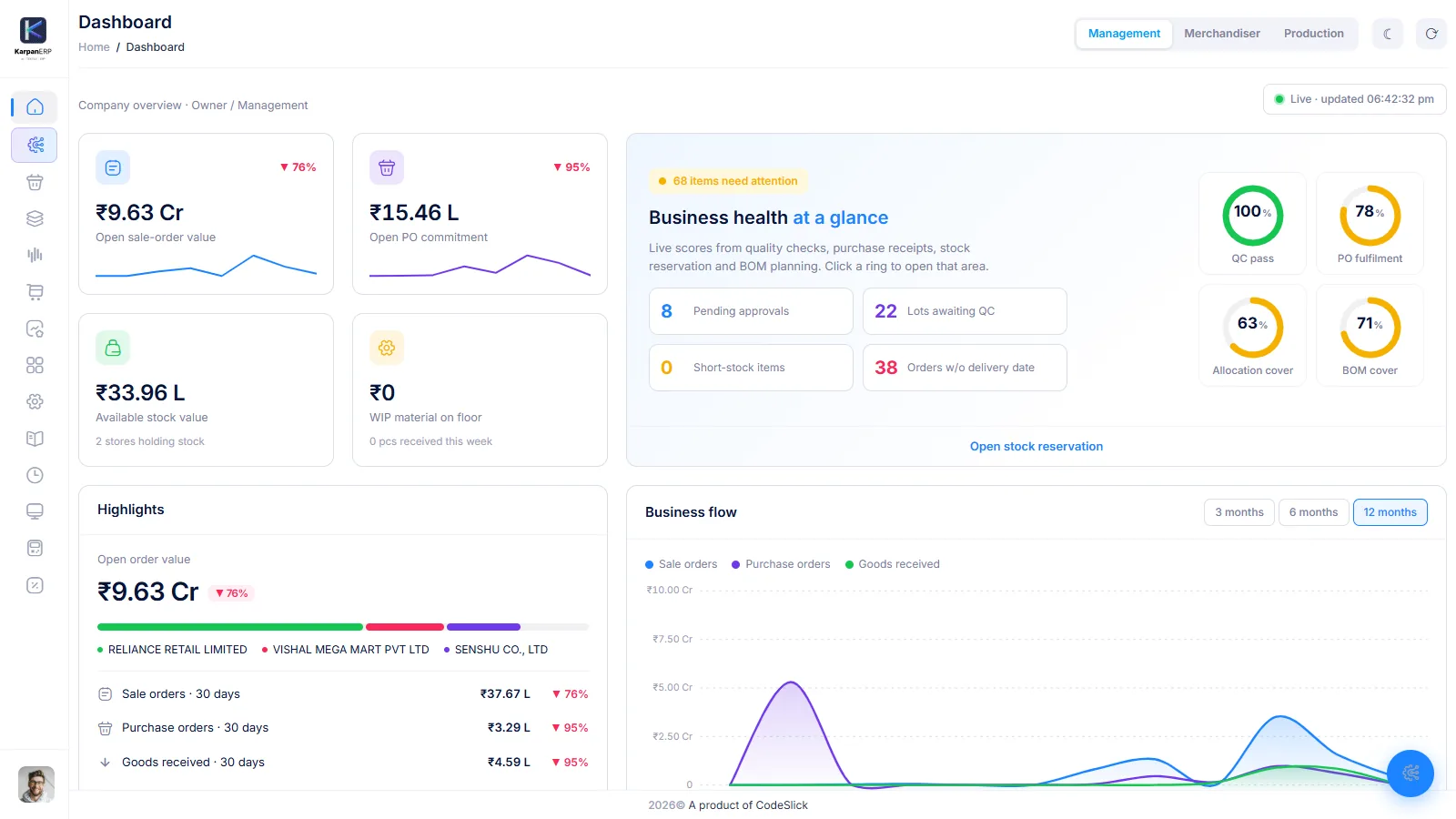
Karpan ERP dashboard with sales, purchase, stock and production figures and pending actions
One connected core

Every module talks to the next.

Sales, planning, purchase, job work, inventory and production share one set of masters and one lot trail, so nothing is typed twice.

9Connected modules

One style, party and material master.

7Order stages on one screen

Order, BOM, plan, PO, receipt, inspection and issue.

15Report screens

Lot 360, stock, P&L and more.

1Shared lot trail

From receive to output, one audit log.

How the work flows

Every department, on one thread.

One order moves from sales to the last finished piece without being typed twice.

Scroll
01

Sales

Orders by style, size and colour.

  • Size and colour orders
  • Style masters
  • Order Review 360
02

Planning

BOM, route and cost before spend.

  • Attribute-driven BOM
  • Visual planning canvas
  • Route costing
03

Purchase

Buy from the BOM with approvals.

  • BOM-driven POs
  • Approval flow
  • Lot-wise receiving
04

Store and QC

Receive by lot. Inspect. Reserve.

  • Lot-wise stock
  • Inspection
  • Reserve, transfer, vendor return
05

Job work and production

Issue, process, receive and finish.

  • Issue to job workers
  • True item rate roll-up
  • Output by colour and size
Control and trust

Secure by design. Answers in plain words.

Give each person the right access, keep a record of every change, and let the AI answer from your own data.

Audit trail

See who changed what, when and from which IP, with an activity log report.

RateSale order AA/200926/1₹299 → ₹310
QtyWork order WO/26-27/0001460 → 462 pcs
StatusInspection INS/AA/300926/1Pending → Approved
PricePurchase PO/26-27/0042₹118 → ₹121

Roles and branch access

Control menu access, add, edit, delete and approval rights, scoped by company and branch.

  • Menu access
  • Add and edit
  • Delete
  • Approve
Head officeBranch ABranch B

Karpan AI

Ask for pending inspections, stock or order status and get an answer without hunting for reports.

  • Read-only queries
  • Branch-scoped answers
  • Checked before they run
Which orders wait for inspection?
2 orders found#4092 Formal Shirt · #4105 Denim Jacket
Who it is for

Built for every link in the chain.

Karpan ERP is made by UiSlick in Jaipur, Rajasthan, India. Read how it works for garment manufacturing and textile manufacturing.

Let us show you what it can do.

Book a personal 30-minute walkthrough with your own styles and lots.