

Garment order management, size by colour.
Enter garment orders by style, size and colour in seconds, add excess per size, then follow each order through BOM and planning, purchase, receipt, inspection and issue on one live screen.
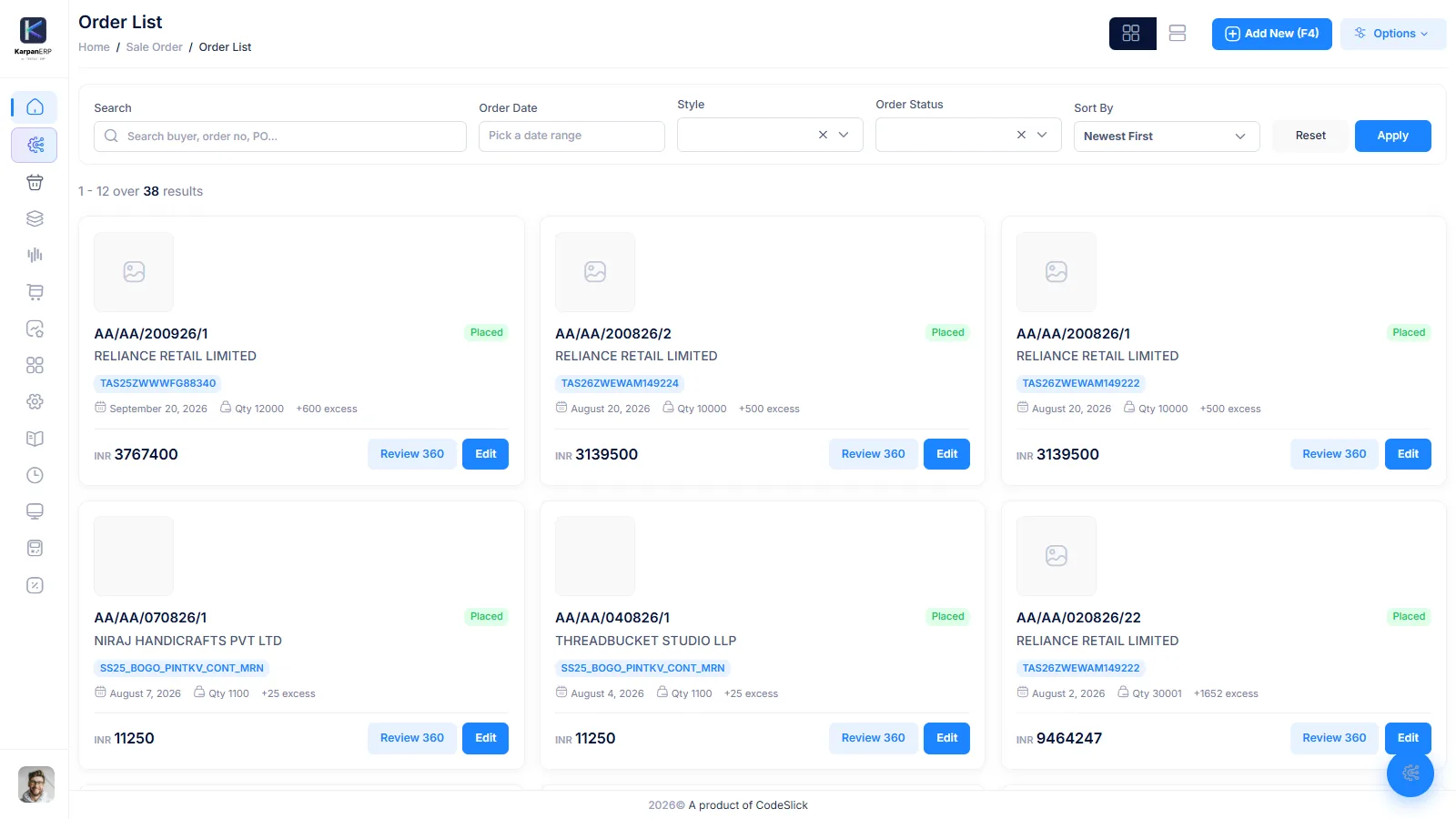
Key in thousands of pieces in seconds.
| Colourway | XS | S | M | L | XL | Total pcs | Excess (+3%) |
|---|---|---|---|---|---|---|---|
| Navy Blue | 200 | 400 | 600 | 400 | 200 | 1,800 | 1,854 |
| Optical White | 150 | 300 | 450 | 300 | 150 | 1,350 | 1,391 |
| Olive Green | 100 | 250 | 350 | 250 | 100 | 1,050 | 1,082 |
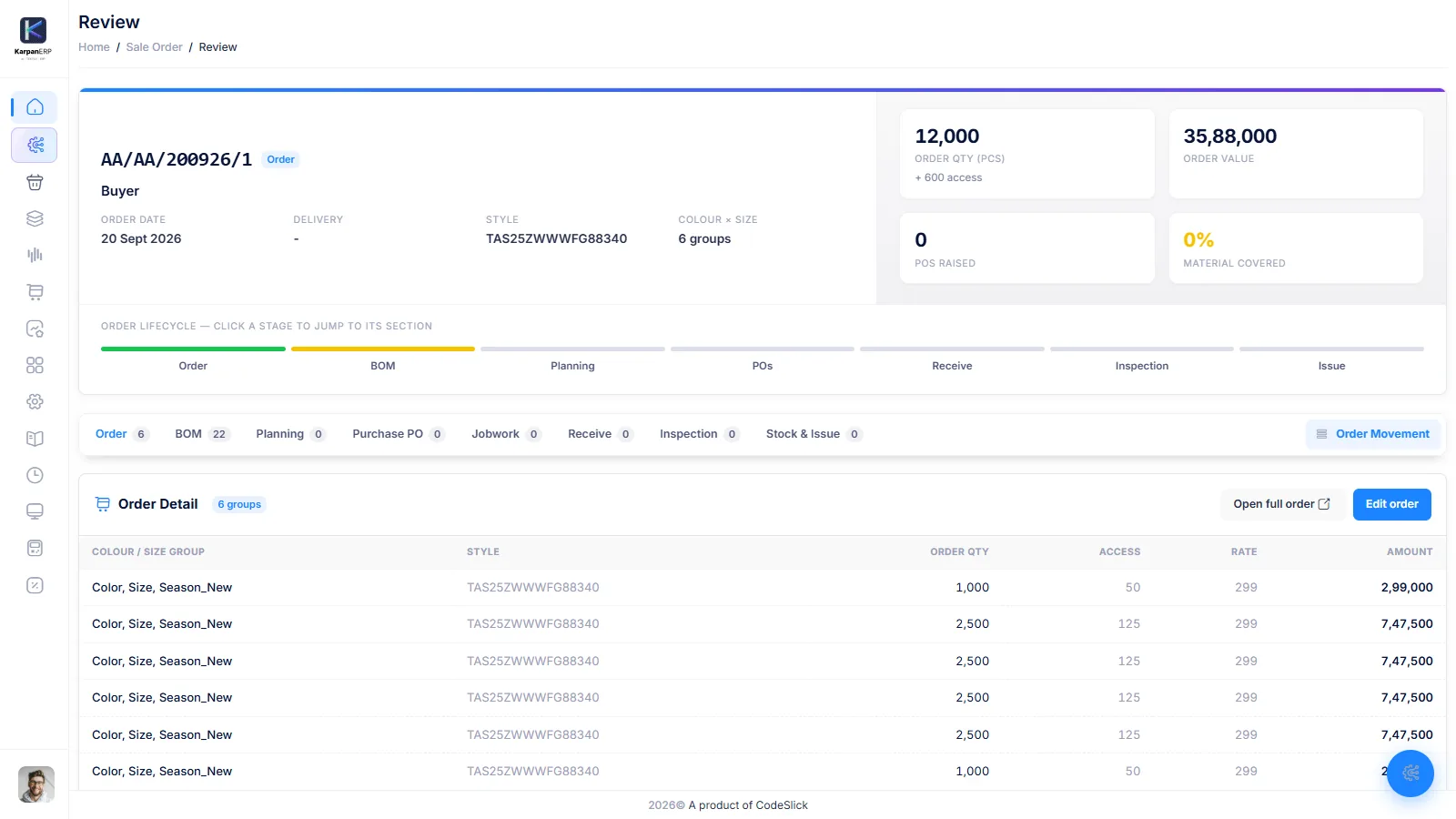
The whole order, on one screen.
BOM, purchase orders, receipts, inspection and stock issue for an order, with a click-through lifecycle bar.
- Attach style images to the style master
- Set excess production tolerances per size
- See every stage of the order without phone calls
Watch the order take shape.
Every size lands in its own column. Excess tolerance is added for you, and the totals that planning will use are ready before you save.
- Quantity per size, colour and shade
- Excess added automatically per size
- The same numbers drive BOM and purchase
Everything an order needs, in one place.
Fast inline entry
Key in styles, sizes and colours with quick inline entry. Totals update live as you type.
Size and colour grids
Each style carries its own attribute grid, so quantities are always captured by size, colour and shade.
Excess quantity per size
Set an excess tolerance per size. It flows down into material planning, so you buy for the real quantity.
Searchable order list
Find any order fast. Card and list views show style thumbnails, and you can sort by price.
Auto document numbers
Order numbers are generated for you, with your own start number and reset rule for each document type.
Party and brand masters
Keep customers, brands, countries, currencies and HSN codes in one clean master, ready to pick in every order.
From sale order to the shop floor.
Sale order
Capture styles, sizes, colours and delivery dates.
BOM and planning
Map materials and design the production route with cost.
Purchase
Raise purchase orders straight from the BOM.
Receive and inspect
Receive lot-wise. Only OK quantity becomes stock.
Reserve and issue
Reserve stock to the order and issue it to production.
Produce
Receive finished garments by colour and size from production.
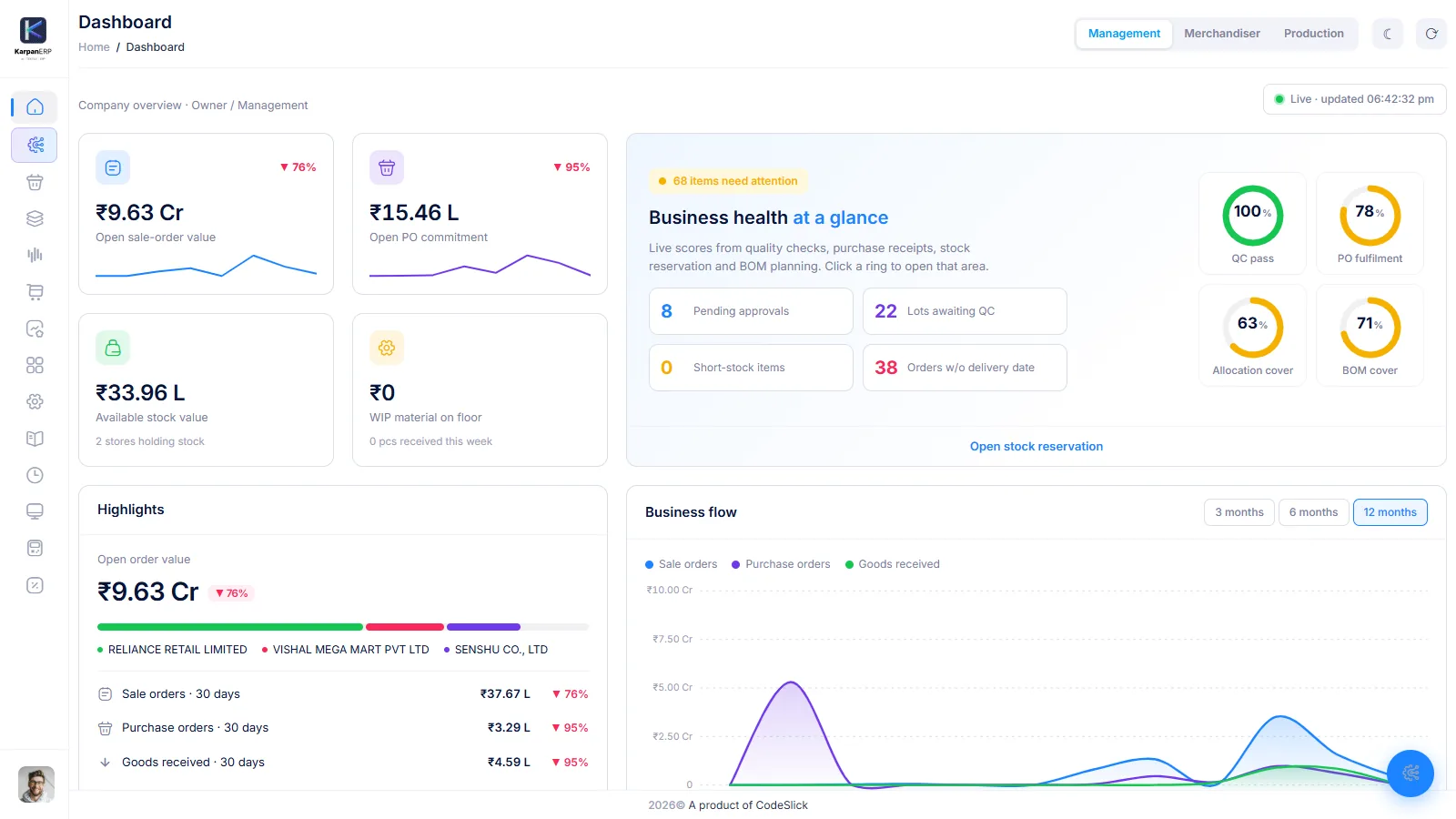
See the business before you ask.
A live Command Center shows order value, purchase commitment, stock and production at a glance, with a list of pending actions waiting for you.
- Sales, purchase, inventory and production cards
- Action list for pending approvals and tasks
- Branch-wise data for each company and branch
Reports your sales team will use.
Sales Order Report
Order value, delivery dates and how ready the material is for each order.
Order Movement
Follow one order across purchase, receive, inspection and issue.
Order Profit and Loss
Sales value against material, job work and other cost for every order.
Questions about sale orders
Can I enter orders by size and colour?
Yes. Every style has an attribute grid for size, colour and any other attribute you set up, such as shade. You can also set excess quantity for each size.
Can I attach style images?
Yes. Style master supports style category and images, and the order list shows thumbnails.
How do I know where an order is stuck?
Open Order Review 360. It shows BOM, planning, purchase, receive, inspection and issue for that order on one screen.
Can different branches use it?
Yes. Data and permissions are separate for every branch and company.
This module is part of Karpan ERP for garment manufacturing and textile manufacturing.
Ready to see it with your styles?
Send us one buyer order. We will enter it as a size and colour grid while you watch.