

Garment ERP reports and dashboard
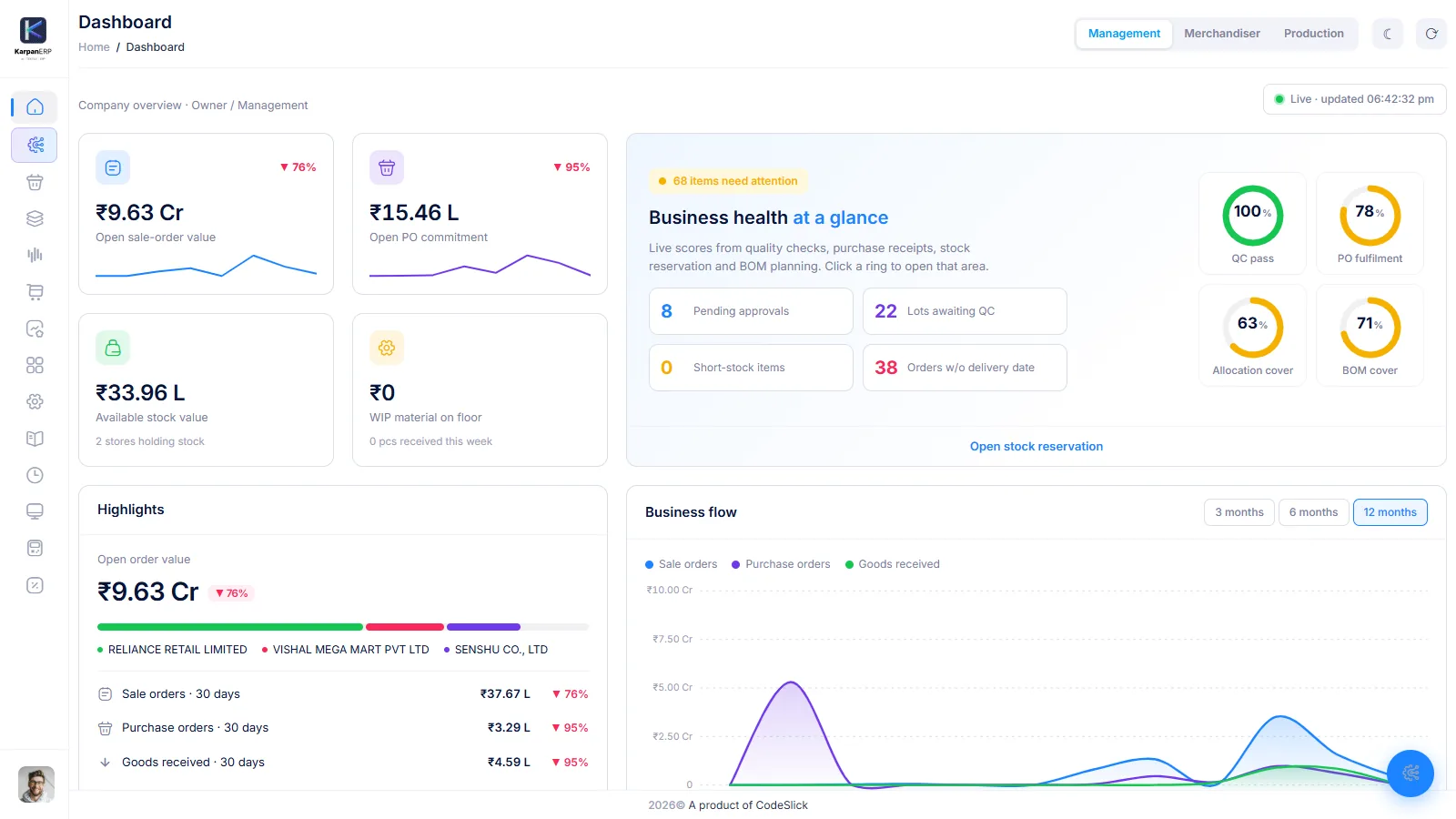
Karpan ERP opens on a dashboard that shows how the business is doing today and what is waiting for someone. Behind it are ready reports for orders, purchase, stock, job work, inspection and order profit, with filters, Excel export and print. No sheets to build by hand.
What the reports tell you
Every report in Karpan is built from the same records your team already enters: sale orders, BOMs, purchase orders, receipts, inspections, issues and production entries. Nobody copies numbers into a spreadsheet, so the report and the floor never disagree.
The dashboard is the morning view for the owner and managers. The reports are where you go for detail: which supplier is late, which lot went where, what each order really earned.
Each module page explains its own reports in more depth: purchase, inventory, job work and order profit.
Your whole factory in one morning glance.
The first screen after you log in. It shows sales, purchase, stock and production numbers side by side, and an action center with the jobs that are waiting for someone, such as purchase orders to approve or receipts to inspect. Click an item and act on it.
- Sales, purchase, stock and production numbers on one screen
- Action center: approvals and inspections that are waiting
- Click an action item to open it
- Each user sees the data of their own branch
Answers in one click, not one week.
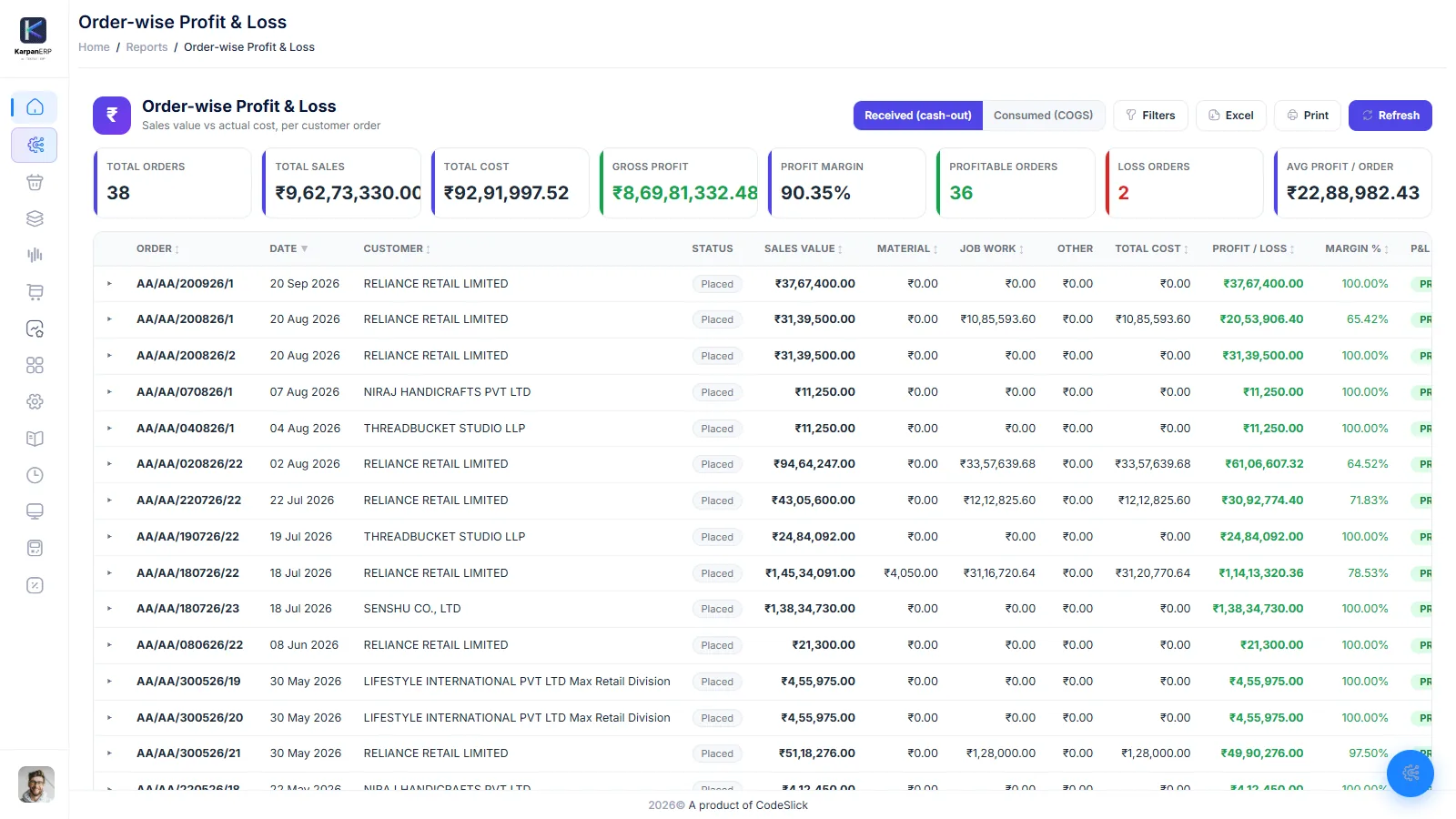
Order profit and loss
For each order: sales value against material, job work and other cost, on a cash-out or consumed basis.
Sales order report
Order value, delivery and material status for all orders.
Procurement status
For each order and item: needed, ordered, received, passed and issued.
Purchase reports
PO transactions, procurement detail, item-wise procurement and order item-wise PO details.
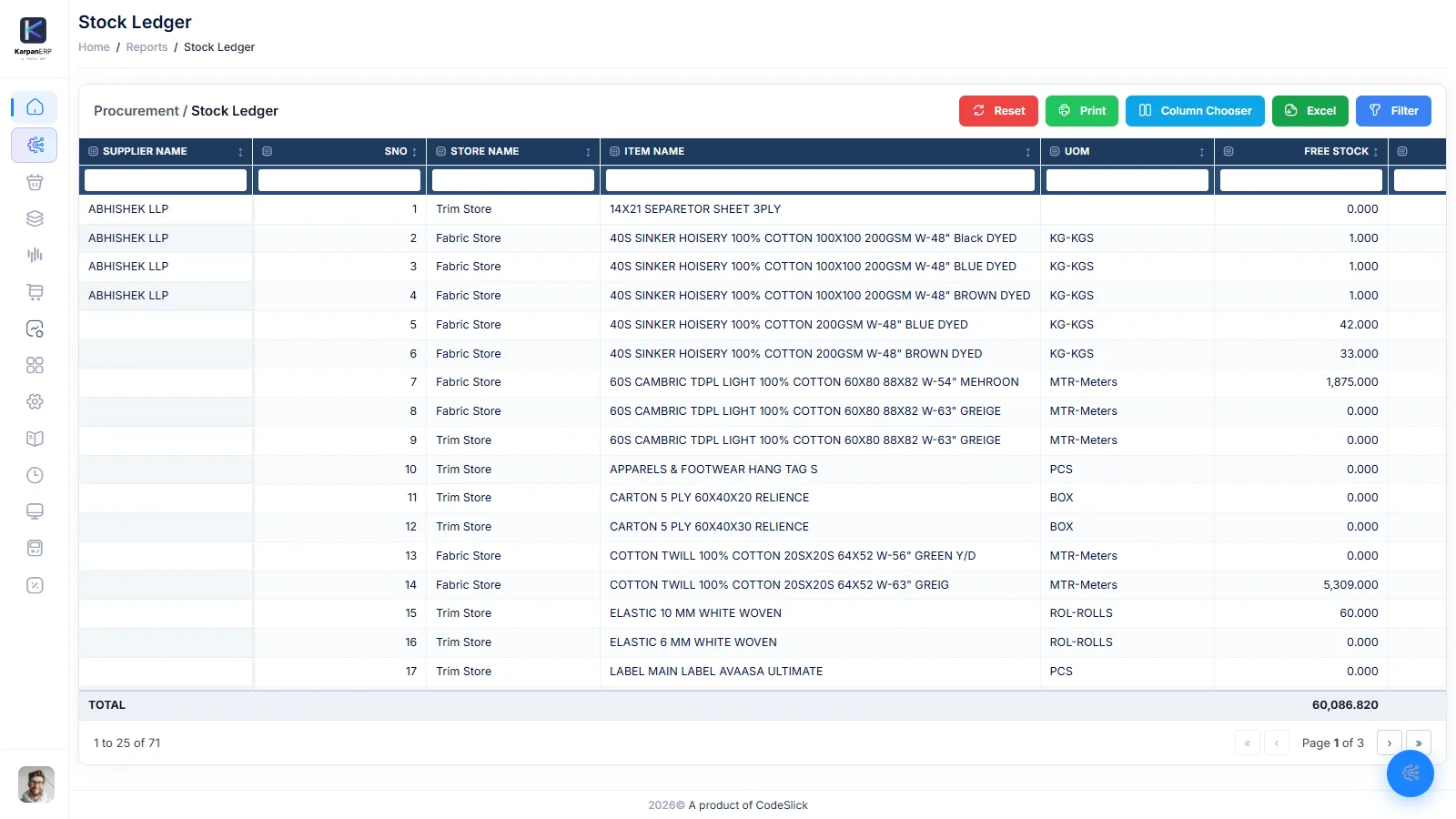
Stock ledger
Every in and out for each item and store, with the running balance.
Daily issue and receive
Everything that came in and went out on any day.
Jobworker stock
What each job worker holds right now, lot by lot.
Order-wise inspection
Inspection results of all material for one order.
Lot 360
Everything about one lot: received, kept, issued and left.
General stock report
Store items issued and received that are not for an order.
Activity log
Who changed what and when, with the old and new value.
Every number has a trail.
When a stock figure looks wrong, the stock ledger shows every entry behind it, store by store and item by item, with the running balance. Most lists and reports export to Excel or print as they are on screen.
- Store-wise, summary and detail views
- Running balance after every entry
- Excel export and print on lists and reports
What the reports do not do
So you know what to expect from the reports.
- Accounts: no balance sheet, ledger accounts or tax returns. Keep accounting in your current software.
- Report builder: reports are ready-made. If you need a new one, tell us and we plan it with you.
Questions about reports
What does the Karpan ERP dashboard show?
Sales, purchase, stock and production numbers on one screen, plus an action center with approvals and inspections that are waiting for someone.
Can I export reports to Excel?
Yes. Lists and reports in Karpan can be exported to Excel or printed.
Can I see the profit of each order?
Yes. The order profit and loss report compares each order’s sales value with its material, job work and other cost.
Do reports follow user roles and branches?
Yes. A user sees only the pages their role allows, and branch users see their own branch’s data.
See your own numbers on the dashboard.
We load sample data like yours and open the reports your owner, store and purchase teams would check each morning.